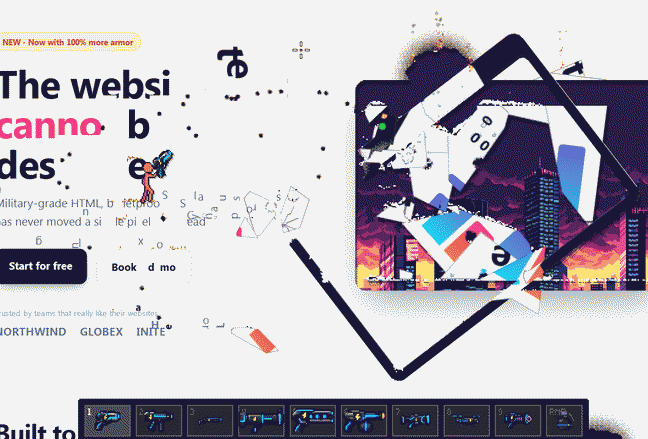
Destroy any website you hate in a fun new way to vent your anger. The idea is clearly inspired by the classic [Desktop Toys]
utility. [Destroy Any Website]
features wonderful and, more importantly, fluid pixel graphics. The execution is brilliant, it runs smoothly even on low-end machines with a 2013 i3 CPU. Made in [Sprite Fusion]
, tilemap editor and pixel art generator.
You can even demolish my website if you hate it so much!
Doing so because i can’t find decent job in my motherland country. It looks like the job market is already shrinked to the point of no return. Internet infrastructure is massively crippled. Almost all my working tools are blocked or substantially slowed down.
Resource Status Hosting/Repository almost blocked Cloud blocked Youtube almost blocked Microstock payments halted Software availability very poor On top of that recently when i was building a retro rig and needed some software to download, i find out that most of required websites are inaccesible due to DPI filtering.
Reference can accessed from the [advanced settings]
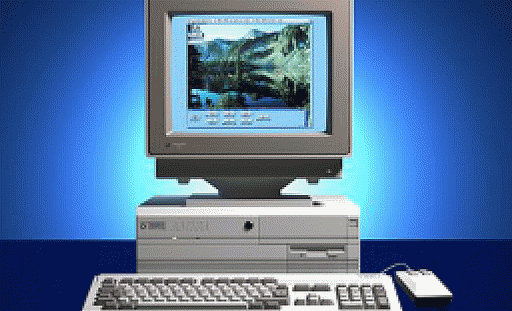
of the website, just click on the vintage computer in the main menu and then see below AUDIO HARDWARE section. Mobile template doesn’t have graphical representation of computer, but you can access settings by typing in the address bar.
https://trackerninja.codeberg.page/settings People of my age will surely recognize this reference without any considerations. Audio and images for implementation were taken from the original DOS installer of [Command & Conqueror]
.
One of my [previous notes]
regarding modern web trends clearly resonated in your email replies, so I’ve decided to drop an even more pressing topic on you.
Struggling to find a solid job in IT? Read on for a comprehensive list of the main reasons why. So, you’re on the IT job market and you can’t find a solid role; well, that’s just par for the course in 2026. Naturally, we’re taking it as read that you have genuine skills and can actually do what you’ve listed on your CV.
UPDATED ON: 2026-05-15
I have implemented special mode for low spec computers. Now, there is an 8-bit lo-fi switch in the header targeted to improve speed on potato puters. Mode disables all visual niceties in favor of better performance.
Breakdown of what is disabled on the website:
all animations all transitions all box-shadows various filters custom scrollbar audio effects right info flyout Hotkey: [CTRL]+[SHIFT]+[8]
Now switch is visible and affects mobile devices.
Just bringing final touches to search functionality. The most important things that were done:
improved ergonomics of [search function]
on the years library page clicking/tapping outside of the search input clears current search query, pressing ESC do the same thing added modern buttery smooth animations to search operations [yep, we can do this without any frameworks!] TECHNOLOGY STACK: GO, JAVASCRIPT, CSS, MARKDOWN, HTML
I have a gut feeling that i might need some spare time in the future for my other endeavors, so while i have a small free time frame window i’ve decided to finish the long-ongoing fixer-upper works that were in a current job queue forever. List of things that were completed during this development jam session [from the most important to the least important].
settings to [clear cookies and localStorage]
have been implemented [check right hand side vintage computer on the main menu] brought some CSS adaptation for the mobile devices for the search field fixed scroll to bottom elements, now they are doing what they have to do [a href="#bottom"] fixed layout weirdness on the couple of template pages fixed some small frontend glitches here and there Ah and almost forgot i’ve minimized CSS configuration for even better performance.
Being overwhelmed with all this junk authorization code from my colleague [that bone-headed vibe coder], I decided to do somethin’ useful and finish that long-requested chronological library of posts, feature was requested multiple times in a row, so i don’t have right to just ignore my readers.
So, here you go, the website is now neat and more convenient to use, and we’re on the cutting edge of ergonomics compared to generic, so-called “modern”, bleak template websites.
UPDATED ON: 2026-02-04 Due to complains of site users i’ve restored native scrollbar for Firefox browsers, looks quite ugly, but at least i’ve brought back default accessibility to the page.
RSS feed was implemented by the request of a reader. Besides this i thought
that actually it would be a period correct feature, especially considering website primary aspect and decided to incorporate it to the website. Currently feed is in a beta state, so bugs can occur and i am not responsible to any damage.
Captain Obviousness on the deck! Here are some of my personal conclusions for those of you who would like to achieve your goals no matter what.
Knowledge always comes in a slow pace, [stop worry about slow advance] Always try things in a practice & do not enter tutorial loop Never give up, just take a rest and try again Compare yourself not with somebody who is better [compare yourself with your previous copy from the past time] Always think of you improving all over the time Do not overestimate your knowledge after some learning time [remember that there are plenty things you need to learn to become a master] Value the moment that you have time to learn Pursue your dream to the end That’s it for today, i hope that you feel refreshed now!
Repeating things were transferred into template pages written in GO to prevent redundancy Codebase of the website was reduced by 233Kb [2732 lines were slain]! CSS decorations minified for even better performance 68kb -> 53kb Major refactoring of [resource fetcher]
Some new icons and pictures for your pleasure! So, less redundant code - faster browsing!
-ENJOY!
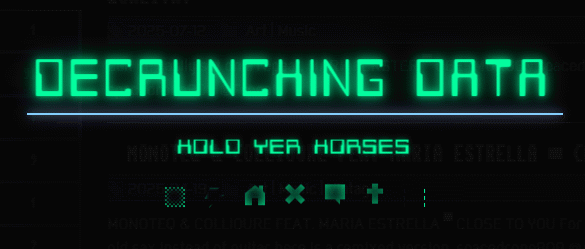
What do you think about new-neon-glowing-terminal-like-resource-preloader? It should serve a as “waiting” pix on slower 3g connections. I rewrote parsing logic a bit and put some effort into the design. Loading icons injected by means of JavaScript with some “clip-path magic”, so no pictures or svg’s. Also dropped some decorations here and there, like these one.
I am almost fullstack dev after all. As for me i am quite pleased with vertical orientation layout.
UPDATED ON: 2023-11-04
Nothing complex here, at least at this time. Here i’ll accumulate performance related information.
░▒▓ LAZY LOADING OF IMAGES ▓▒░ Just implemented lazy loading at my main index page. Concept is pretty simple you are loading images only when they appearing in the viewport of the browser. All you need to do is just to apply loading=“lazy” to the classes of loaded images.
<img loading="lazy" src="/img/demo./png" alt="Picture"> In my case it was like this:





![Believe It Or Not I Am Looking For A Solid Full Time Job In IT In 2026 [For Real!]](/img/hack.png)