Such issue can occur if you are using four memory stick configuration [very heavy load on the memory controller] and storage devices like Intel Optane P5800X as a boot drive, where Optane U2 drive is plugged by means of M2 adapter. So, here is the correct BIOS settings for reliable elimination of the freezing problem upon rebooting of the system. In this article we shall pin-point correct settings at least for MSI X670 motherboards.
So you have tweaked every possible thing and want to squeeze more performance from your workstation?
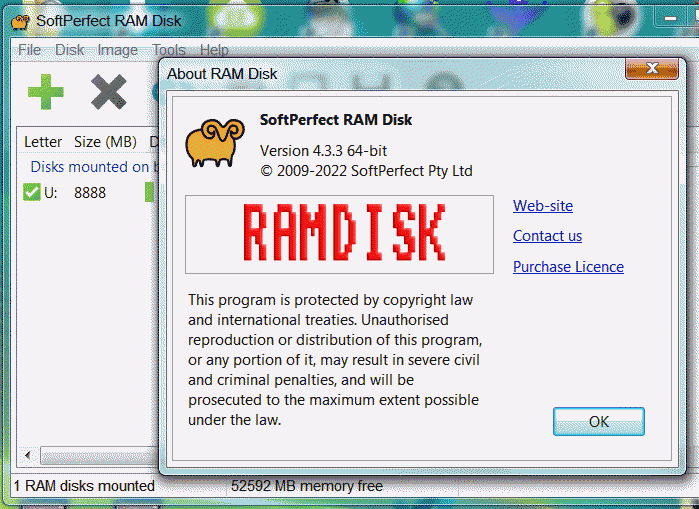
I’ll tell you how to do this if you have plenty of spare RAM and don’t know what to do with all those memory chips. Placing swap file and temporary folder into RAM is a quite good decision after all. Ram disk is already old idea to improve speed of disk input/output operations. Some time ago even [GPURamDrive]
was introduced to masses, although it doesn’t receive popularity because of slow speed in comparison to generic DDR3/4 memory.
It’s been a while since I’ve published something related to benchmarking. So here we go then: a quick Aida64 post in which you can observe results of little RAM overclock and how it is influence overall computer performance. I’ve come to conclusion that table representation will be more transparent rather than screenshots of the benchmark software.
► HARDWARE CONFIGURATIONS BENCHMARK TOOL: Aida64 v6.33.5700 [2021] MOTHERBOARD: Gigabyte X570 Aorus Ultra [Bios: F34] LOW-END PROFILE: Ryzen 3 3100 4-Core HI-END PROFILE: Ryzen 9 9590X 16-Core