

How To Run Libre Office 2026 In Windows 8.1 No Matter What
UPDATED ON: 2026-10-05
v26.2.6 is working by means of hack below using [latest Python version] ,
so last v26.2.7 will surely work in a similar way, v26.8.x branch is not working!
Previously, we already did this with [Windows 7 and LibreOffice version 25.8]
.
And now, it is time to repeat the above-mentioned pattern with LibreOffice 26.
Windows 7 cannot handle the 2026 version of the software, no matter how hard I tried.
So, in light of my recent transition to Windows 8.1, I decided to give it a shot as well.
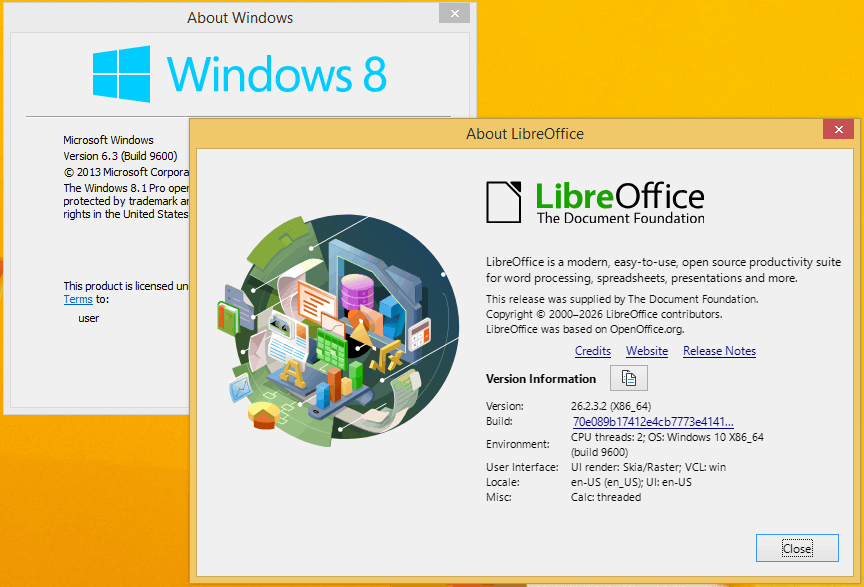
The experiment ended in success.
The procedure is the good old dirty hack based on the injection of backported Python libraries.
We do not even need to use kernel extensions.
LibreOffice 25.8.x was based around [Python 3.11.15]
.
New 2026 version is based around [Python 3.12.13]
.
What you need to do is to substitute original Python files with hacked ones.
Unpack [LibreOffice] .
msiexec /a "C:\LibreOffice_26.2.3_Win_x86-64.msi" TARGETDIR=C:\LO26_admin /qn
Do not forget to clear read-only flag from extracted files, just in case.
attrib -r "C:\LO26_admin\*.*" /S /D
Install hacked Python and copy all files and folders.
FROM
C:/Program Files/Python312/
INTO
C:/LO26_admin/program/python-core-3.12.13/
C:/LO26_admin/program/
Here is a proof screen that everything is working.