

How To Run The Very Latest VS Code [v1.135] In Windows 7 No Matter What?
![How To Run The Very Latest VS Code [v1.135] In Windows 7 No Matter What?](/img/vscode/vscode.png)
Say you are as stubborn as myself and want to run VS Code editor in Windows 7 no matter what.
First thing to remember it will able to run only in x64 edition of Windows 7 with all ESU patches applied.
- get already patched 1.102 version from [e3kskoy7wqk repository]
- unpack it and start application to make sure it is working
- close software, be sure it is not showing in the task manager
- download newer version, for example v1.112.01907 / [zipped VSCodium archive]
- extract archive & copy RESOURCES folder to the original 1.102 installation, replacing exiting one
- execute the editor / ta-da! it works!
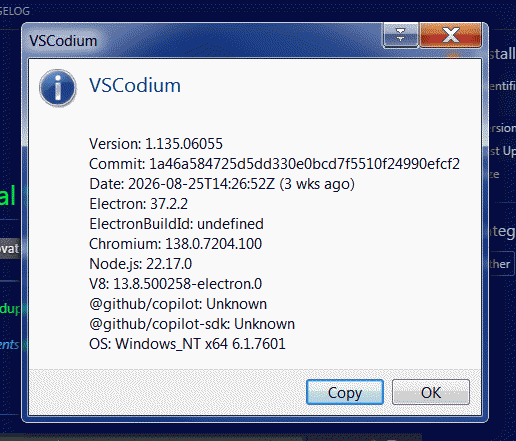
Very draft investigations pointed out that even the very latest version 1.135.06055 runs.
But my custom color theme broke in some places and more importantly some plugins reported errors.
However, your experience may vary, so it is worth of trying.
As for me, i would recommend to stick with versions around 1.110 - 1.112.